An engineer inspecting and managing technical assets with the MOBIUS UEAM platform
Operational asset management · ISO 55001

MOBIUS UEAM

Unified Electronic Asset Management — Traceability. Control. Mobility.

A proprietary Mobius Software system for maintaining and monitoring all of an organization's resources across their entire lifecycle: acquisition, commissioning, use, maintenance, wear and decommissioning — with geospatial dispatch (GIS) and an Android mobile app.

6+ yearsof continuous in-house development of the UEAM platform
UnlimitedWEB users and Android mobile app users in the organization
QR / NFC & GISinventory by scanning and real-time dispatch on the map
8×5 & Permanentremote assistance (8h/day × 5 days) and permanent technical support
01 · Overview · A single source of truth

An overview of the assets and their real condition.

Operational asset management is a set of practices and policies through which the organization maintains and monitors all its resources in optimal condition, with the aim of delivering the best services or products.

It is a combination of economic, financial and engineering operational practices applied across the entire lifecycle: research and innovation, construction, maintenance, use and decommissioning. After a period of time, the system can calculate the technical, economic and human resources required for each asset to remain functional.

Strategic vision A “whole lifecycle” approach for the best value, with risks understood and managed as part of a whole.
Informed decisions The asset management policy informs the decision-making team about the delivery of products and services, bringing monetary value to the business.
Continuous improvement Measured performance, together with a plan of corrective and preventive actions, is critical for operational management.
MOBIUS UEAMUnified operational core
QR / NFC inventoryIdentification in the field
MaintenancePreventive & corrective
GIS dispatchAssets & teams on the map
Parts & StockComponents & consumables
Android mobileUnlimited users
Costs & ReportsBy funding source
02 · What UEAM addresses · The organization's challenges

Questions answered in real time.

MOBIUS UEAM turns the everyday questions of management and technical teams into verifiable information, available instantly in the same application.

“I want an overview of the health and safety level of the assets.”
UEAM
Answer in the platform: A real-time dashboard with technical condition, maintenance alerts on the home page and availability indicators by category and site.
“I want to know that the investments made are safe.”
UEAM
Answer in the platform: Rigorous records of value, funding source, warranties and service life, with dedicated reports by funding source.
“I want to optimally control the resources I have available.”
UEAM
Answer in the platform: Allocation by roles, organizational structures and access rights, plus calculation of the technical, economic and human resources needed to keep assets in operation.
“Where do I find all the information about a piece of equipment, as well as its history?”
UEAM
Answer in the platform: The unified asset record — accessible in the office or in the field by scanning the QR/NFC label — with a complete history of interventions, replaced parts and technical documents.
“How can I efficiently maintain and manage works, procurement and quality systems?”
UEAM
Answer in the platform: Preventive and corrective planning linked directly to reports, stocks of spare parts, accessories and consumables, and to the planning of future purchases.
“Do current reports and technical data reflect functional reality?”
UEAM
Answer in the platform: Reports generated directly from operational data confirmed in the field (photo, GPS, QR/NFC, reaction time), eliminating parallel paper records.
03 · Functional modules · Unified Electronic Asset Management

A modular structure for administrators and role-based collaborative work.

Each module uses the same base of assets, organizational structures and responsibilities, eliminating data duplication between departments and the field.

MODULE 01

Administration and user access

Secure authentication, granular role-based user rights, operating statistics, logging for internal and external audit, internal chat, alert messages and data backup.

MODULE 02

Asset management

Planning, recording of technical and financial asset data, export and printing of lists, decommissioning and scrapping, and fast search and sorting by predefined criteria.

MODULE 03

Safety and reports (Repairs)

All the functions needed for managing and tracking repairs: recording reports with status, date and owner, assigning the task, recording the outcome and recommendations.

MODULE 04

Components, accessories and stock

Precise view of stocks of consumables, accessories and spare parts; planning of the next purchases; distribution of parts according to the plan and intervention requests.

MODULE 05

Inspection and maintenance

Setting up the preventive maintenance schedule, assigning tasks, recording and reporting the checks and works carried out, sorting by category and alerts on the home page.

MODULE 06

Predefined reporting and analysis

Generating reports from predefined templates: maintenance and testing, incident reaction time, repairs, parts and consumables, and the list of assets by funding source.

MODULE 07

Geospatial dispatch (GIS)

Geospatial analysis and representation of assets on the map, exact identification of incidents in real time, dispatching of teams and optimization of routes and reaction time.

MODULE 08

Android mobile app & QR/NFC

A mobile component for incident verification/validation, intervention teams, tracking of movements and inventory by scanning QR/NFC — with no limit on the number of users.

04 · The asset lifecycle

Continuous information, from acquisition to decommissioning and scrapping.

Decisions on maintenance, upgrade, revaluation or replacement are based on the same verifiable history accumulated over the 6 stages.

01

Acquisition

registration, classification and funding source

02

Commissioning

documents, parameters and QR/NFC labeling

03

Use and monitoring

tracking in operation, condition and alerts

04

Maintenance and repairs

preventive works, reports and parts

05

Wear and revaluation

technical condition, risk and resource calculation

06

Decommissioning and scrapping

retirement, transfer or replacement

Anatomy of the Unified Asset Record in MOBIUS UEAM

Complete technical, operational and financial records
1. Identity & Classification Unique inventory code, QR label / NFC tag, technical category, sub-assemblies, manufacturer, serial number and current status.
2. GIS Location & Structure Geospatial coordinates on the map (GIS), site, operational unit, area manager and an optional extension in the 3D model (MOBIUS BIM).
3. Value & Funding Source Entry value, funding source (own budget, European funds, projects), normative operating life and warranty periods.
4. Maintenance Schedule & Inspections Recurring preventive plans, checklists and test lists, automatic alerts in the main interface and assigned owners.
5. Spare Parts & Consumables Compatible components, accessories and consumables, stock available in warehouses, consumption recorded for each repair and procurement needs.
6. Work History & Resource Calculation A complete log of reports, reaction times, field photos, technical recommendations and the calculation of technical, economic and human resources.
05 · Operational flow · Field, Dispatch and Management

From the report to closing the intervention and analyzing costs.

The application allows inventorying all equipment as well as reporting an intervention in real time, with exact identification on the map through the integrated dispatch. Each stage is recorded with status, date and owner — the history stays attached to the asset.

FIELD
Photo/GPS reporting, scanning the QR/NFC code on the equipment, receiving tasks and the intervention report directly from the Android mobile app.
DISPATCH
Report validation, verification and prioritization, assignment of teams and spare parts, tracking on the map (GIS) and monitoring of reaction time.
MANAGEMENT
Annual operating costs, performance indicators, reports by funding source, maintenance planning and resource calculation.
01

Report

Received in real time from the Web interface, the Android mobile app or a sensor/alert.

02

Validation

Verification of the incident and prioritization by status, risk and operational impact.

03

Assignment

Designating the intervention team, setting the deadline and reserving parts/consumables.

04

Intervention

Execution in the field with QR/NFC scanning, reporting of works, consumption and photos.

05

Closure

Confirming the result, recording technical recommendations and updating the asset's status.

06

Analysis

Automatic updating of indicators (reaction time, costs, resources) and reports.

Integrated Geospatial Dispatch — Assets, Teams and Interventions on the Map

A1 · Station / Equipment (Functional) A2 · Preventive intervention in progress A3 · Active report · Team assigned A4 · Inspection completed & validated A5 · Tank / Monitored point
● Geospatial analysis and representation of assets
● Monitoring of teams and intervention parameters
● Dispatch, calculation and process optimization
● No limit on the number of users (WEB and Android)
QR / NFC scanning · Android app
  • New report from the field (photo + GPS coordinates)
  • Tasks assigned by role and intervention team
  • Intervention report and parts/consumables used
  • Fast inventory by scanning the QR / NFC code
  • Real-time tracking of team movements and route
06 · Operational benefits · Visible results from the first months
“The stage when activity had to be interrupted to carry out the inventory is over. Now you have an overview of the entire inventory in a single application.”
ClarityClear decisions, based on real-time information about the condition and history of assets.
OptimizationOptimized exploitation of assets, reduced operating and investment costs.
DelegationCollaborative distribution of tasks and built-in control and tracking mechanisms.
PerformanceManagement of organizational, equipment and employee performance using measured indicators.
Operational dimension
Without MOBIUS UEAM (Paper records / isolated spreadsheets)
With MOBIUS UEAM (Unified Electronic Asset Management)
1. Carrying out the inventory and identifying equipment Continuity of the organization's current activity
Interruption of activity
Cumbersome inventories on printed lists, temporary stoppage of activity for counting and frequent discrepancies between records and the field.
Uninterrupted QR / NFC inventory
Scanning QR/NFC labels with an Android phone directly in the field, real-time updates and a unified view of the entire asset base.
2. Maintenance planning and incident response Prevention vs. costly emergency interventions
Reactive paper records
Missed inspections due to a lack of alerts, reports sent by phone or email without traceability, and long times to locate a failure.
Automatic alerts & GIS dispatch
A preventive schedule with alert messages on the home page, exact location on the map (GIS), team assignment and reaction time measurement.
3. Tracking spare parts, accessories and consumables Matching stocks to planned repairs
Stocks not matched to works
Repair delays caused by a lack of critical parts or redundant purchases unrelated to the actual consumption per piece of equipment.
Accurate component & stock management
A precise view of stocks of parts, accessories and consumables, distribution by work order and planning of future purchases.
4. User access on the Web and in the field (Android) Financial scalability across the whole organization
Access limited to a few operators
Per-user licensing blocks access for field teams, keeping reporting on paper and data re-entered manually at the office.
No limit on the number of users
All relevant employees (administrators, dispatchers, Android mobile teams, management) work collaboratively by role, with no per-account costs.
5. Calculating annual costs and reporting by funding source Substantiating the investment and scrapping budget
Aggregated costs with no per-asset history
Difficulty calculating how much a piece of equipment consumes each year (technically, economically, in human terms) or reporting assets by funding source.
Resource calculation & predefined reports
Automatic calculation of the technical, economic and human resources needed to maintain the asset, and direct reports by funding source.
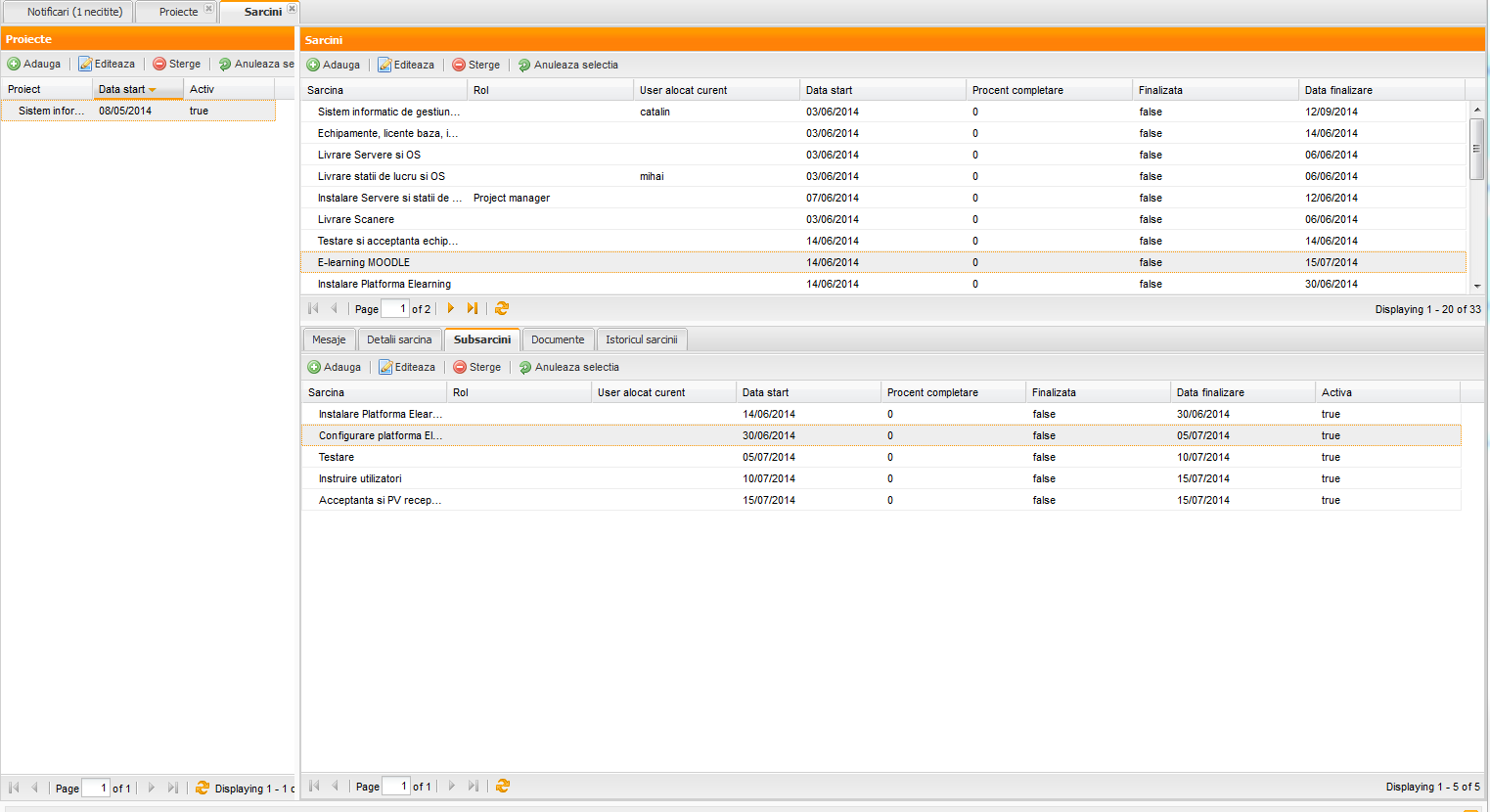
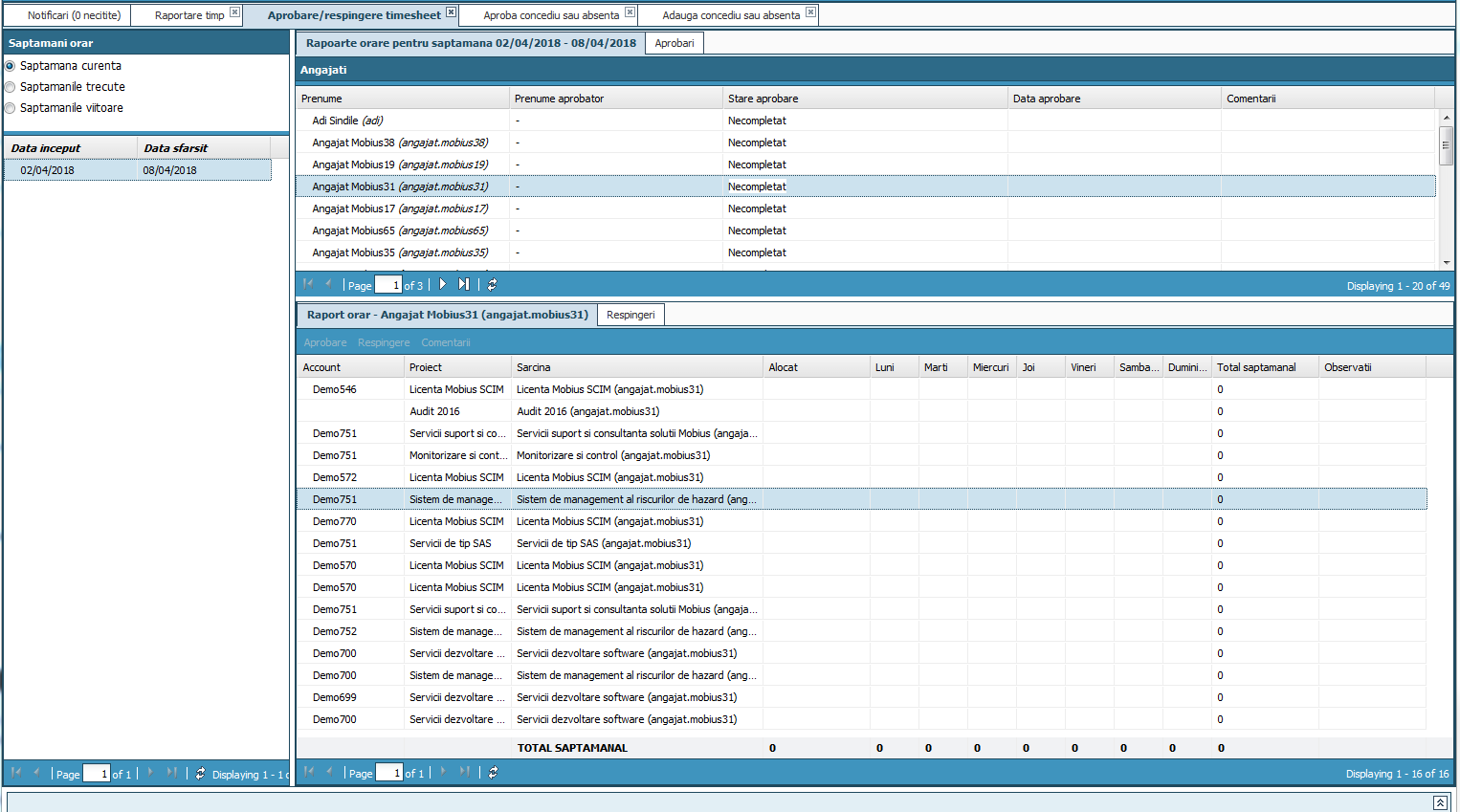
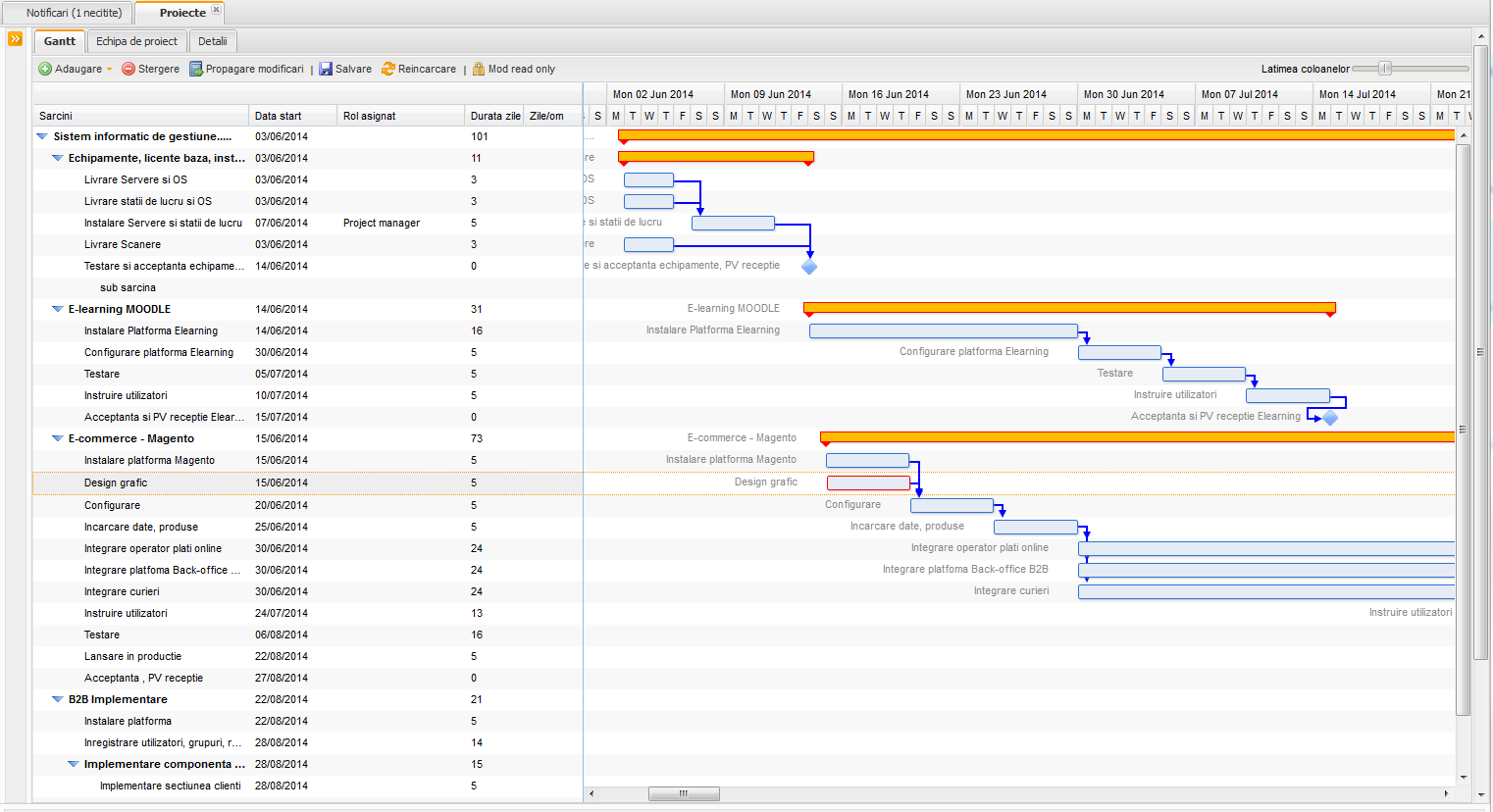
07 · The platform at work

Planning, responsibilities and resources in a single operational context.

The Mobius interfaces illustrate work planning, the distribution of tasks among owners and the tracking of the time and resources allocated to each activity.

08 · Applicability · Scalability and flexibility

From complex infrastructure to small organizations.

Each organization has a unique combination of assets, objectives, constraints and stakeholder expectations — the MOBIUS UEAM concept adapts to each individual situation.

Water and sewage networks

Distribution and sewage networks, pumping stations, treatment plants and tanks tracked geospatially and technically.

Energy and power grids

Transformer substations, power lines, switching equipment and energy installations with critical availability.

Natural resource extraction

Wells, platforms, pipelines and heavy machinery operated continuously, with strict safety and maintenance requirements.

Rail and transport

Rail infrastructure, rolling stock, signaling installations and equipment related to traffic safety.

Buildings and complexes

HVAC, electrical and plumbing installations, technical equipment and spaces — extensible in three dimensions through the module MOBIUS BIM.

Production and logistics

Production lines, industrial machinery, vehicle fleets and warehouses, for clear forecasts of delivery times and order fulfillment.

Public administration

Public property, municipal facilities, annual inventory and rigorous reporting of assets by funding source.

Health and education

Hospitals, clinics, schools and university campuses: medical equipment, laboratory facilities and verifiable periodic maintenance.

Native integration in the MOBIUS solutions ecosystem

09 · Phased implementation · Our involvement at every step

Fast implementation, with low costs and immediate operational benefits.

We propose a way of using the system that involves low costs for the organization and, at the same time, fast commissioning and user training.

Code
Stage
What we do together with your team
Result for the organization
E1
Analysis and proceduralization
Consulting on the proceduralization of activities related to asset management and the definition of workflows.
✓ Clear procedures, defined roles
E2
Configuration
Defining the asset nomenclatures, categories, organizational structures and role-based access rights.
✓ A system aligned with the organization
E3
Inventory
Taking over the existing inventory, importing data, QR/NFC labeling and assigning GIS coordinates on the map.
✓ A single, complete asset base
E4
Commissioning
Activating the planned maintenance programs, parts/stock management, dispatch and the Android mobile app.
✓ Day-to-day operation, paper-free
E5
Training
Hands-on training and usage assistance for day-to-day operation (field/dispatch) and system administration.
✓ Autonomous users in a short time
E6
Support and continuity
Remote assistance and support 8 hours/day × 5 days/week, together with permanent technical support for continuity.
✓ Operational continuity
Guaranteed operational continuity: We provide remote assistance 8 hours a day × 5 days a week, permanent technical support and licensing with no limit on the number of users for the WEB component and the Android mobile app.
Interactive tool · MOBIUS UEAM implementation configuration

Quickly assess your organization's priorities for MOBIUS UEAM

Select the options that best describe your current situation for the 4 points below to generate the recommended configuration of stages E1–E6.

Recommended MOBIUS UEAM path (E1–E6)

QR/NFC Inventory + Geospatial Dispatch (GIS) and Android Mobile Teams

  • Stages E1–E2 (Proceduralization & Configuration): Defining the network/equipment nomenclatures, geographic zones and roles for dispatch and field teams (no user limit).
  • Stage E3 (QR/NFC Inventory & GIS Maps): Taking over existing data, labeling equipment with QR/NFC codes and positioning it on the map without interrupting activity.
  • Stages E4–E6 (Mobile operation, Stock & 8×5 Support): Activating the Report → Validation → Assignment → Android Intervention → Closure flow and reporting reaction time and costs.
10 · Let's start now · Contact & Assessment

Traceability, control and mobility for all of the organization's resources.

We transform the present for a more efficient future. We accompany you through every step of the implementation process — from analysis and proceduralization (E1) to QR/NFC inventory, day-to-day operation and permanent support (E6).

Direct Phone (Monday – Friday, 09:00 – 18:00) +40 722 377 877
Call now →
Commercial & Technical Email office@mobiussoftware.ro
Open Mail app →

Request a presentation or an analysis for MOBIUS UEAM

Fill in the items below. The request is sent directly from the site to the Mobius Software team (no email client in the browser or validation of your address required).