Moodle e-learning platform for courses, collaboration, assessment and administration
MOBIUS SOFTWARE · E-LEARNING
Complete e-learning solution

LEARNING WITHOUT LIMITS

Courses, collaboration, assessment and administration, in a single digital environment.

A complete digital environment, built on Moodle and configured for courses, collaboration, assessment and administration — accessible anywhere there is an internet connection.

RO · ENinterface in Romanian and English
Flexibleonline or blended learning
Controlledaccess down to the resource level
Moodleopen-source platform, configured for the organization
01 · Overview · An open platform, a configured experience

Moodle technology, adapted to the way the organization learns.

Mobius Software implements complete e-learning systems using Moodle, an open-source platform for managing courses and educational activities.

The interface, course structure, rights and tools can be shaped for learners, trainers and administrators.

AccessibleAnytime, anywhere, on any device.
ConfigurableTailored design, roles and learning paths.
CollaborativeIndividual and group activities.
MOODLEE-learning platform
CoursesStructure and modules
Multimedia resourcesDiverse content
Assessments & gradesTests and assignments
ReportsParticipation and activity
CommunityForum and messaging
AdministrationRoles and rights
02 · What the platform addresses · The organization's challenges

Questions answered within the same platform.

The e-learning solution turns the everyday questions of trainers, learners and administrators into concrete tools, in a single environment.

“How do I build and organize courses?”
E-LEARNING
Answer in the platform: Through course management: courses, modules and activities are structured according to the needs of the group or of each learner, and courses, modules or learning objects can be reused.
“What types of content can I use?”
E-LEARNING
Answer in the platform: E-books, interactive pages, documents, presentations, spreadsheets, images, links and media files. Videos can be hosted in a controlled way through integration with dedicated platforms such as Vimeo.
“How do learners communicate and collaborate?”
E-LEARNING
Answer in the platform: Through forums, blogs, private chat rooms, messaging and a calendar, for synchronous or asynchronous interactions, plus individual and group activities.
“How do I assess and certify participants?”
E-LEARNING
Answer in the platform: With tests, questionnaires and individual or group assignments, with automatic checking where needed, then through the gradebook, grades, certificates and diplomas.
“Who has access to what?”
E-LEARNING
Answer in the platform: Each user sees exactly the content they need: rights are defined gradually, from platform and course down to module and resource, for users and categories of users.
03 · Features · Integrated capabilities

Everything needed for a digital learning program.

Publishing, communication, assessment and reporting tools work in the same environment.

FEATURE 01

Course management

Structuring courses, modules and activities according to the needs of the group or of each learner.

FEATURE 02

Diverse content

E-books, interactive pages, documents, presentations, spreadsheets, images, links and media files.

FEATURE 03

Secure video

Integration with dedicated platforms such as Vimeo for controlled hosting of video resources.

FEATURE 04

Communication

Forum, blog, private chat rooms, messaging and calendar for synchronous or asynchronous interactions.

FEATURE 05

Assessment

Tests, questionnaires and individual or group assignments, with automatic checking where needed.

FEATURE 06

Results

Gradebook, grades, certificates and diplomas to document progress.

FEATURE 07

Library & profile

A virtual library and configurable profiles, with privacy and integration options.

FEATURE 08

Reporting

Dedicated reports for trainers and administrators to track participation and activity.

04 · The learning path

From content to results, in a coherent cycle.

Each stage can be configured according to the type of program and the profile of participants.

01

Design

objectives and structure

02

Publishing

resources and activities

03

Learning

individual and collaborative

04

Assessment

tests, assignments and feedback

05

Certification

grades, diplomas and reports

05 · For trainers and administrators

Content is built, reused and tracked simply.

The Moodle editor has a familiar form and allows adding formatted text, symbols, images, media files, links and HTML content.

REUSE
Reuse of courses, modules or learning objects.
ADAPTATION
Activities adapted to the level of the group and participants.
FORMATS
100% online courses or blended learning.
REPORTS
Reports for trainers and platform administrators.
01

Build

Add resources and activities to the course structure.

02

Assign

Configure participants, groups and rights.

03

Communicate

Use forums, messaging, calendar and chat.

04

Assess

Apply tests, assignments, questionnaires and feedback.

05

Analyze

Review progress, grades and reports.

06 · CAFR case study · A platform configured for professional training
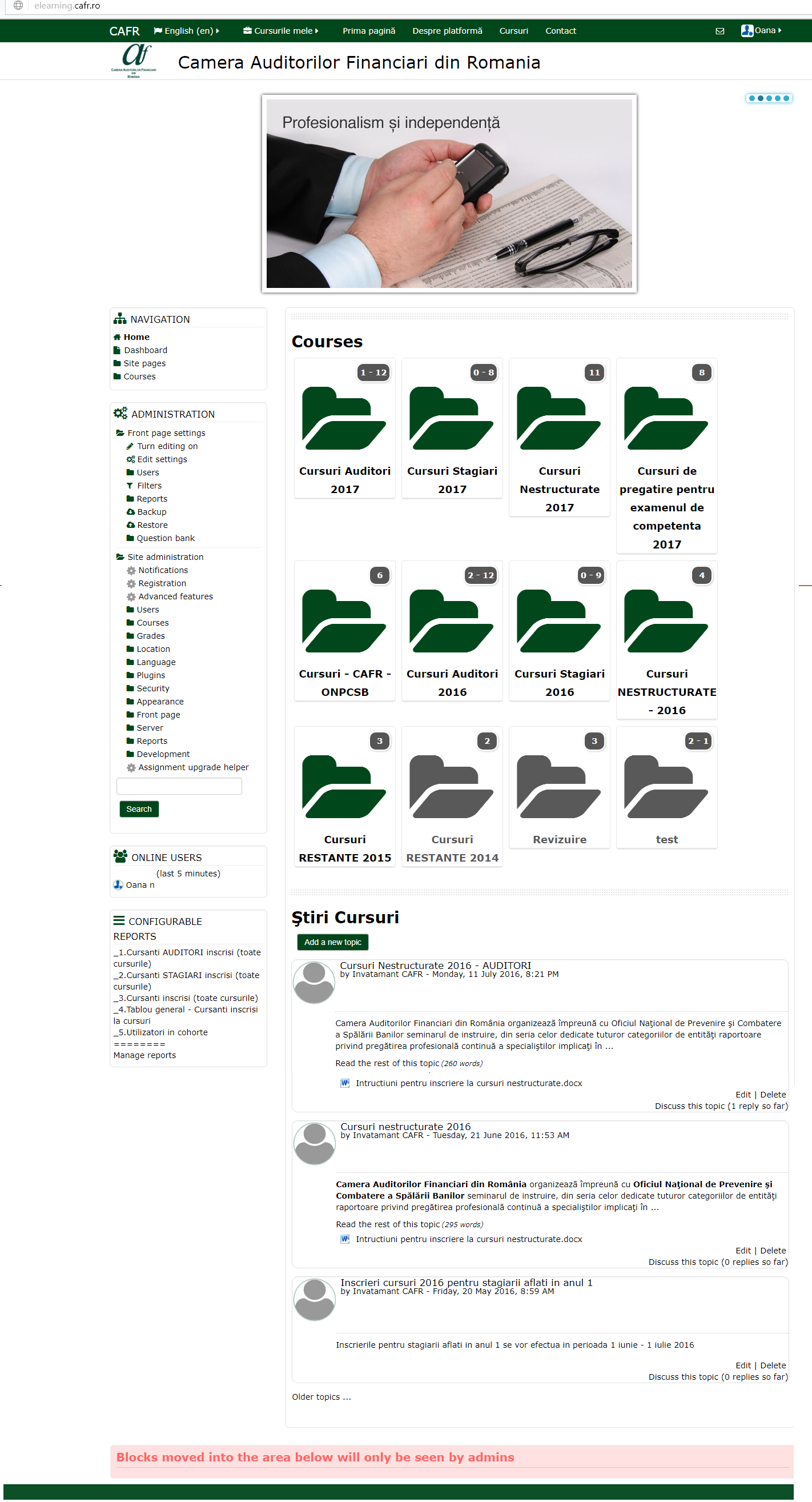
For CAFR, a system of interfaces was built with quick access to information, adapted to the organization's identity and context.

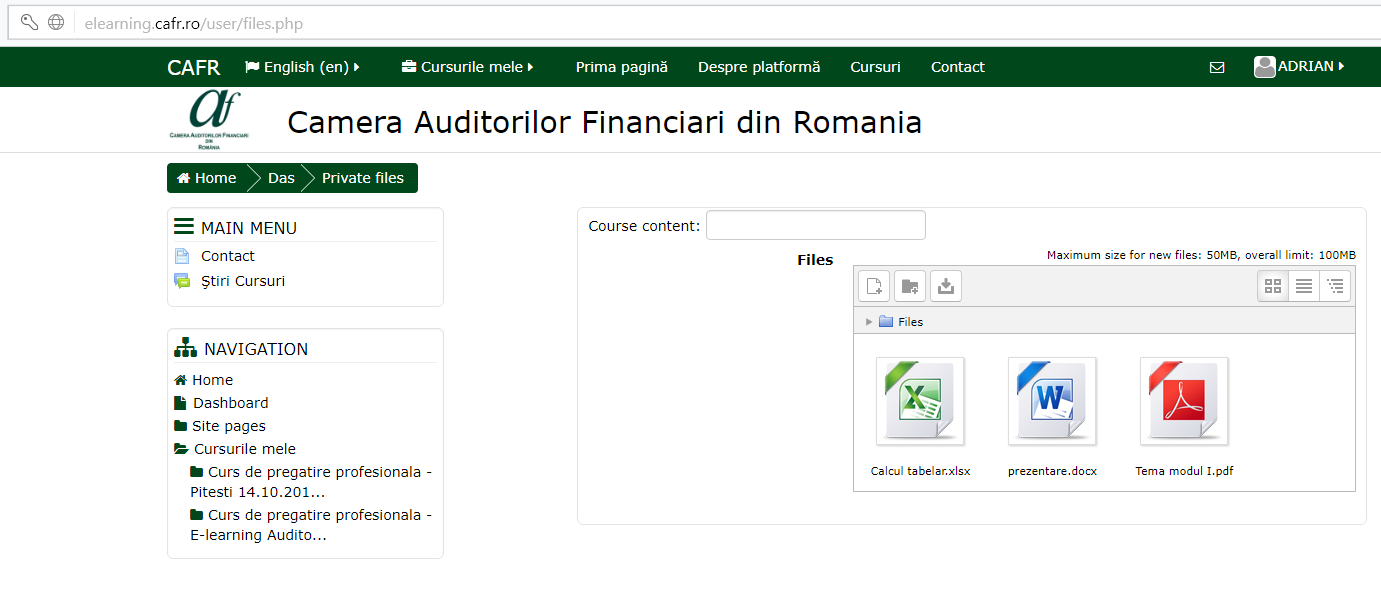
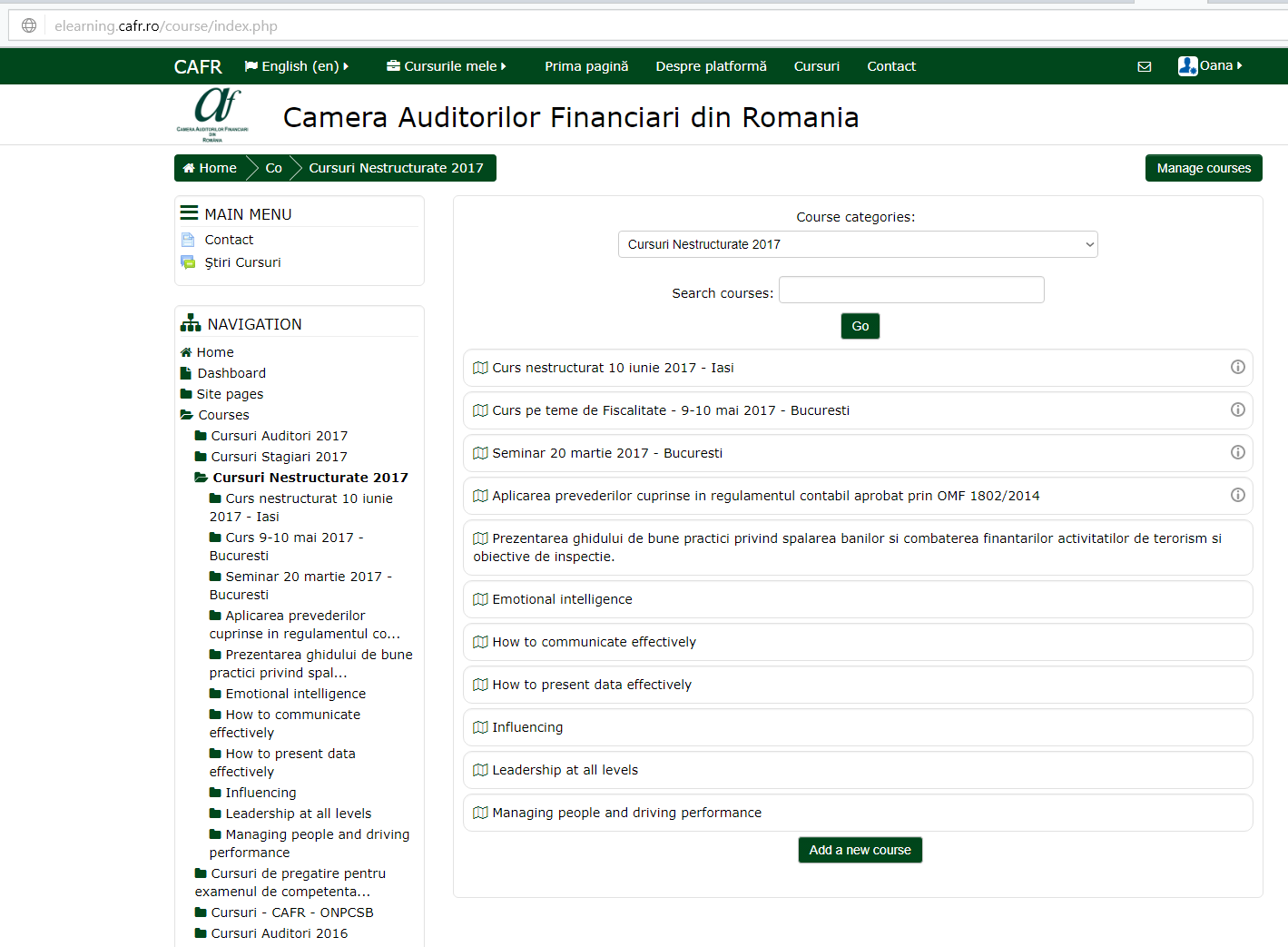
The example of the Romanian Chamber of Financial Auditors (CAFR) shows how a Moodle implementation can bring courses, files and administration together in a customized interface.

Custom designColor palette, icons and structure adapted.
Contextual navigationHorizontal and vertical menus by role.
Varied coursesDifferent fields and disciplines in the same platform.
Clear administrationSeparate spaces for learners and administrators.
07 · The platform at work · CAFR case study

An interface configured for the organization's identity.

The screenshots show the home page, the organization of courses and the course resources from the implementation carried out for CAFR.

08 · Access, safety and continuity

Each user sees exactly the content they need.

Rights can be defined gradually, and additional backup mechanisms support content protection and operational continuity.

Platform

General rules and administration roles.

Course

Enrollment and access for designated groups.

Module

Differentiated paths and conditions.

Resource

Visibility down to the individual activity.

Installation in Microsoft or open-source architecturesGranular control for users and categories of usersIntegrity of databases and educational resourcesInterface available in Romanian and EnglishAdditional backup mechanisms
09 · Usage formats

A flexible base for different learning contexts.

Professional training

Recurring courses, assessments and participant certification.

Internal training

Programs for employees, procedures and skills development.

Formal education

Activities for learners and teachers in a common space.

Blended learning

Combining online activities with face-to-face meetings.

Collaborative learning

Projects, individual tasks and group activities.

Digital libraries

Organized resources available to authorized participants.

10 · Next step · Contact & Analysis

Build a learning environment tailored to your organization and participants.

Talk to the Mobius team about your organization's courses, learners and trainers, from configuring the Moodle platform to day-to-day use.

Direct Phone (Monday – Friday, 09:00 – 18:00)+40 722 377 877
Call now →
Commercial & Technical Emailoffice@mobiussoftware.ro
Open Mail app →

Request a presentation or an analysis for the e-learning solution

Fill in the form and your request is sent directly from the site to the Mobius Software team.